
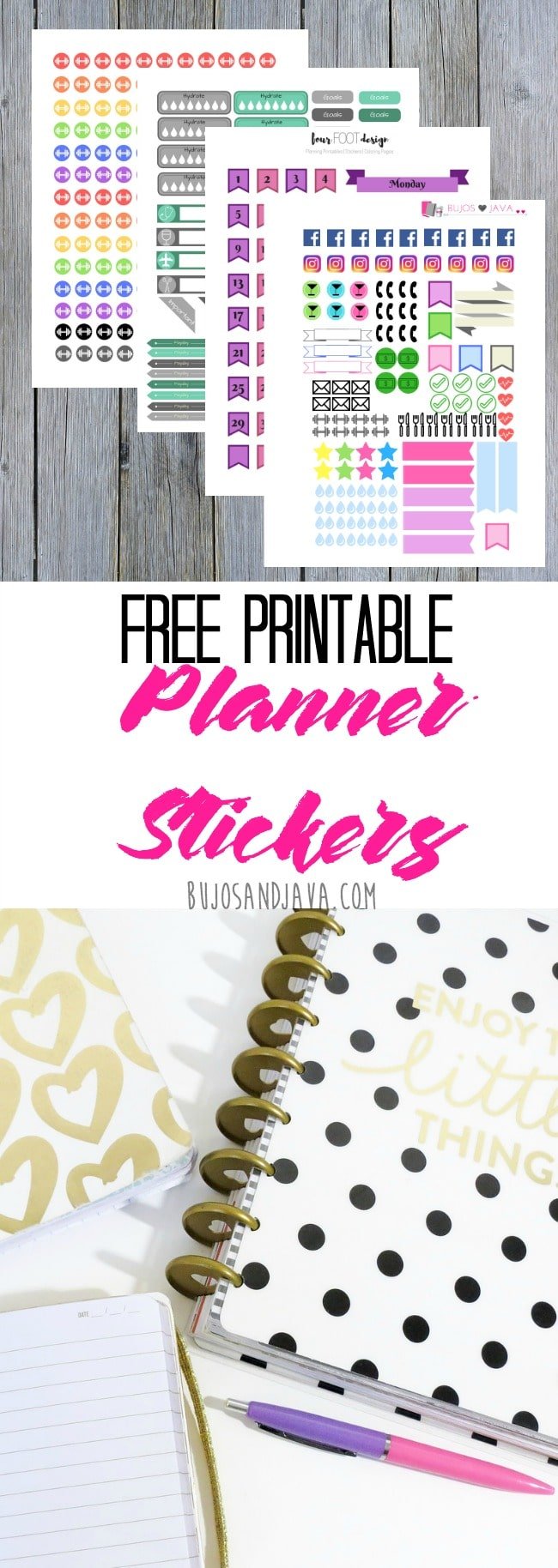
Planner stickers are not a requirement for bullet journaling or using planners. But they do add an amazing amount of cute factor. Plus, they can be a great way to personalize your planner pages without having to feel like you need to be a great artist of something like that. Printable planner stickers are amazing too because you can find them online for free or usually at a very low cost.

Printable Planner Stickers
If you’ve never used printable planner stickers, you might not know exactly what to do with them. That’s where this post comes in! I have always loved stickers (childhood sticker collector here!) but they can get pricey. Once thing I try to do is shop for clearance stickers and sticker packs to add to my collection.
But the great thing about printable planner stickers is that you can probably hunt down something you like without even having to go to the craft store! Printable planner stickers are digital files that you can download and print at home. Unlike traditional stickers, which come pre-printed on sheets, these files are often PDFs or image formats like PNGs or JPEGs. You simply download the file, print it on sticker paper, and cut out the designs.
They are a great way to build your sticker collection!
Why Use Printable Planner Stickers?
There are quite a few different reasons why you might want to start collecting printable stickers. Here are a few:
- Customization – It’s pretty easy to find different designs that match your planner’s theme or your personal style. Whether it’s floral motifs, minimalist icons, or whimsical characters, there’s something for everyone. It just takes a bit of searching, but I’ve seen amazing variety in the types of stickers people make (including myself).
- Functional – These stickers aren’t just for decoration though some are! But they’re also used to mark important dates, set reminders, track habits, and organize tasks. There is pretty much a sticker for everything, including just adding cute factor.
- Save Money – Since they’re downloadable, you only need a printer and sticker paper. Once you’ve bought those, you’re ready to start printing. You can find a lot of free printable planner stickers to get started with. There are some amazing sets out there that do cost a little bit, but this can definitely be a more affordable option than buying sticker packs at the craft store, especially if you really want to have a large collection of stickers.
- Use Right Away – One of the best parts is that as soon as you find a design you like, you can download and start using it immediately. There’s no wait for shipping or delivery. If you happen to be up at 2:00am and want some new stickers, this is the way to go! Don’t ask me how I know!
- Unlimited Use – Once you have the file, you can print as many stickers as you need. This is especially useful for frequently used stickers like checklists or appointment labels. One huge drawback with sticker packs is that you’re limited to exactly what is included in the pack you bought. But with the sticker files, you can print as many copies as you want to use.
What are Planner Stickers Used for?
There are a few reasons you might use stickers in your journal or planner:
- Add Color – Stickers are a great way to add color to your journal. You can find stickers in everything from pastel colors to bright, bold colors.
- Add Cute – I like to talk about adding cute factor to my pages. I like to doodle a lot so I add the cute that way, but when I’m not in the mood, stickers are the best solution! So if you feel like you don’t want to doodle or don’t feel confident doing your own drawing, stickers are a great way to customize your pages.
- Flexible – Using printable planner stickers makes it easy to change things up. When I buy a sticker pack, I feel a little pressured to get my money’s worth and stick with the theme. But when I’ve found printable stickers I like, I feel okay rolling with them for as long as I am feeling them and then changing it up. I’ve also found that its pretty easy to find different sticker packs that coordinate. When I create sticker packs to share, I try to put together some that coordinate to give options.

How to Print & Cut
To print these stickers and cut these stickers, you will need:
You just need a typer of sticker paper that will work with the printer or cutting machine you’re using.
You’ll also need one of the following:
- Color printer & something to cut with (details below)
- Cricut machine (I personally own the Cricut Explore and love it for so many different projects!)
- Silhouette machine
If you want to keep it super basic, you can always print these stickers on regular paper and just add them to your journal or planner. If you do that, I recommend Tombow Mono Removable Adhesive! It’s great for this kind of thing.
COLOR PRINTER & SCISSORS/EXACTO KNIFE
The most basic way to use printable stickers is to print them on sticker paper using your color printer and then cut them out. You can just use a pair of scissors to cut around them and then peel off the backs.
But there is another technique called kiss cutting that you can duplicate on your own! Using a kiss cut leaves the stickers on the backing paper and allows you to peel them off. It’s basically a DIY way to get the same cut you’d get with a Cricut or Sihouette cutting machine.
HOW TO KISS CUT STICKERS
To do this, you need:
- Xacto knife
- Metal Ruler
- Helix Ruler (if needing to cut circles)
- Cutting mat or cardstock or thin piece of cardboard (this is just to put under the sticker sheet so you don’t damage whatever surface you’re working on)
- Lay your sticker sheet on top of your cutting mat/material. Then line the ruler up along the straight edge of the sticker. You want to press hard enough to cut through the sticker layer of the paper but not the backing layer.
- If you press too hard, you’ll cut through both. That’s not a big deal unless you do it around the entire sticker. Then you’ll just have cut it out like if you’d use scissors.
- You can work all the vertical lines on the page in one go then turn your page and do the rest of them. Then go back and do any rounded edges.
Because you’re not cutting the stickers out completely, this will go more quickly than you think!
Cutting your stickers this way will leave them all on the single page and allow you to peel them off the way you do traditional stickers.
CRICUT MACHINE & CRICUT DESIGN SPACE
If you have a Cricut machine, you can use it to cut these stickers.
- Open the Cricut Design space software and start a new canvas.
- If you’ve downloaded the transparent PNG image, just upload it like you normally would. There’s no need to clean it up since it’s already compatible with Cricut for cutting.
- Add it to your canvas and adjust the size to either 6.75 x 9.25 or 9.25 x 6.75, whichever fits the image’s orientation best. Click “Make It” in the top right corner, then select “Print then Cut” using the settings for your machine.
If you don’t have a transparent image, follow these steps:
- Upload the color image first, choose “complex” and click “continue.”
- Skip the clean-up step, click “continue,” and save it as a “Print then Cut” image.
- Next, upload the blackout image, select “complex,” and click “continue.”
- Use the magic eraser tool to remove only the white areas from the image.
- Once done, click “continue” and save it as a “cut” image.
SILHOUETTE MACHINE & SIHOUETTE STUDIO
- Create a new project in Silhouette Studio. Add both the color image and the blackout image to your canvas.
- Adjust each image size to either 6.75 x 9.25 or 9.25 x 6.75, depending on the template’s orientation. Make sure the longer side measures 9.25.
- Center both images on the page, with the black image on top.
- Use the trace feature to trace the blackout file and create your cut lines. Once traced, delete the black image.
- Set the registration marks, then print and cut like you usually do, using the specific cut settings for your machine.

Fall Planner Stickers
This post original had some old sticker sets from a defunct Etsy shop that we never ended up launching. I’ve included those at the bottom of the page, but also decided to start making some fun seasonal sticker packs to share.
I created three different sets of Autumn themed stickers, so there should be a little something for everyone! The links to download the files will be listed below the preview image. You have the option to download the PDF files or the transparent PNG files.
All sets also include a blacked out cut file as well.

Click to Download Autumn Set 1

Click to Download Autumn Set 2

Click to Download Autumn Set 3
Past Planner Sticker Sets
Here are the sets I previously included in this post. These are all super practical and are great sets to keep on hand! These are only available in PDF format, not PNG. The links to all of the sets are below the preview image.

Click to Download Planner Stickers
More Planner Stickers
If you’re looking for more stickers, check out the other free sets I’ve created:
- Travel Planner Stickers
- Summer Planner Stickers
- Inspirational Stickers
- Tie Dye Planner Stickers
- Boho Doodle Stickers
- More Workout Stickers
- Unicorn Stickers
I also have some low cost printable sticker sets in the shop:
- Financial Planner Stickers
- Winter Wonderland Stickers
- Fashion Planner Stickers
- Coffee Planner Stickers
- Bullet Journal Icon Stickers
- Valentine’s Day Stickers
Pin This Post

